Better PDF
A cross-platform Acrobat replacement for Windows, Mac and Linux.
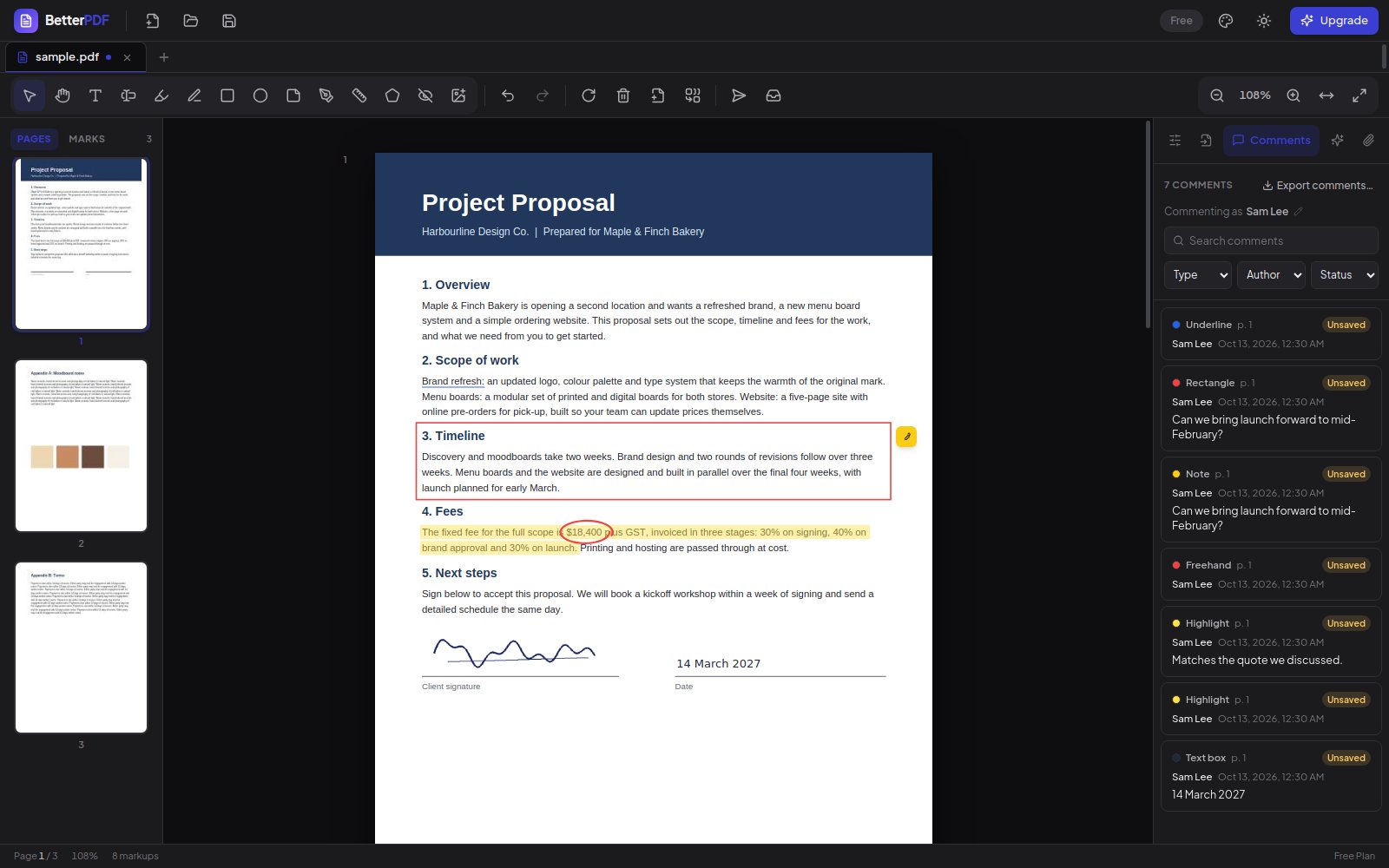
- Desktop application
- Windows, macOS, Linux
- Free, Pro from A$5.50 a month, Teams from A$4.50 a user
- pdf.js and pdf-lib
Most people need to do five things with a PDF: read it, mark it up, fill in the form, sign it and send it back. Better PDF does exactly those things in a clean window, free to start and with no account to create.
It is one React and TypeScript codebase inside Electron, producing signed installers for Windows, macOS and Linux. Rendering is pdf.js; edits are written back with pdf-lib so the file you save opens correctly in every other viewer.
Everyone starts on the free plan. Pro unlocks every feature for A$5.50 a month billed yearly, or A$6.60 month to month, and Teams is A$4.50 a user a month billed yearly for five or more people. Plans are handled by a small Go service, and you can cancel any time. An iPhone and iPad version is on the way.
Features
Annotate
Highlight, draw, add text boxes, shapes and sticky notes. Select, move, resize, and undo any of it.
Fill and sign
Draw, type or upload a signature, save it, and place it with a click. AcroForm fields are detected and filled, with optional flattening.
Page tools
Rotate, delete, reorder by dragging, merge another PDF, or extract the pages you need.
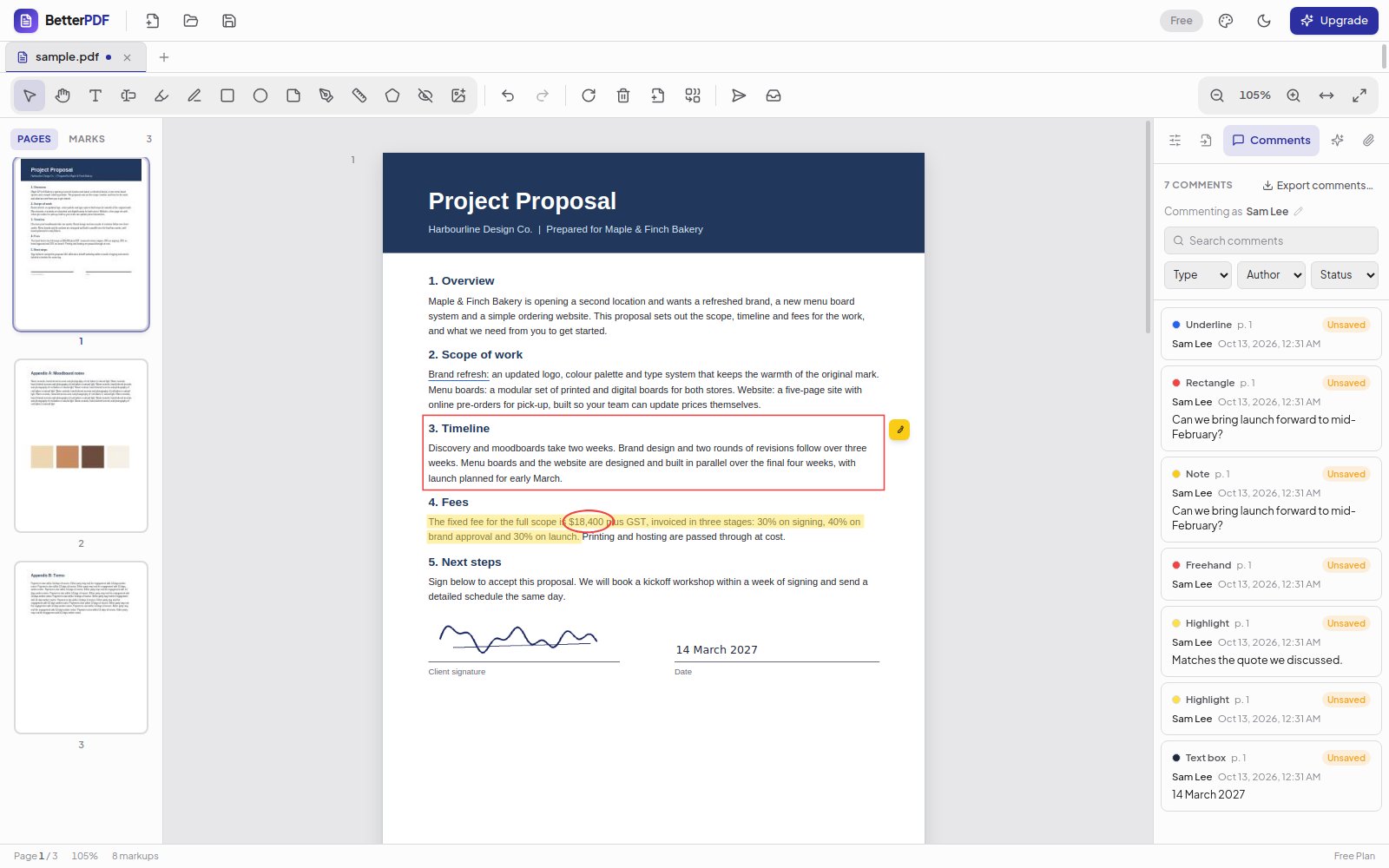
Dark and light
Two full themes, native menus, keyboard shortcuts, and a thumbnail rail that stays out of the way.
Honest pricing
Free to use with no account. Pro is A$5.50 a month billed yearly or A$6.60 month to month, every paid plan unlocks every feature, and you can cancel whenever you like.
Gallery
Stack
Doodle: Learn to Draw
Step-by-step drawing lessons for every artist in the family, from three years old to adults.